
A full SSH workspace, built to replace PuTTY
Everything here is in Gimotty 0.1 today. What is missing is listed at the end.
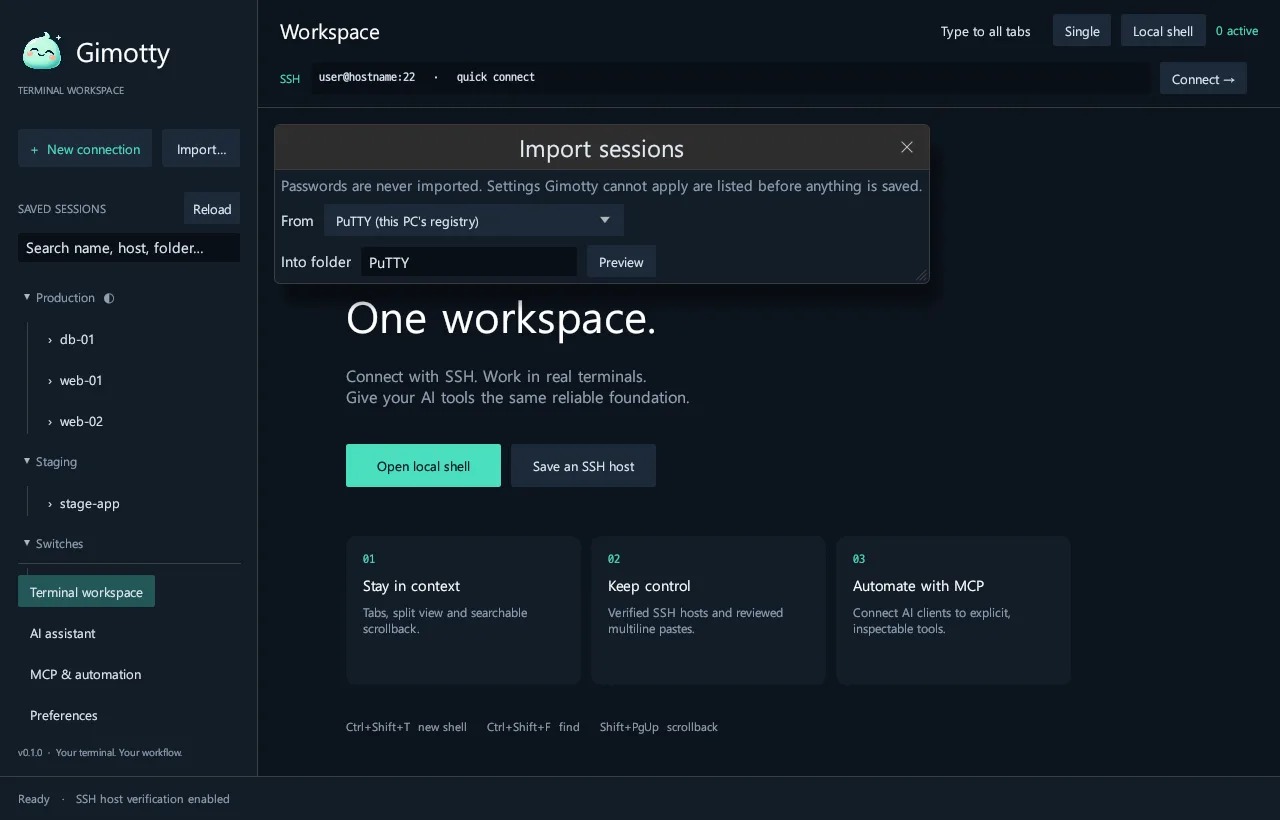
Bring what you already have
- Import from the PuTTY registry or
.regfiles, SecureCRT, Xshell and OpenSSH config, with a connectability check and a list of settings that do not apply. - PuTTY command line:
[user@]host [port],telnet://,-load,@session,-P -l -pw -pwfile -i -m -t -T -N -C -v -4 -6 -L -R -D -A -X -sercfg -sessionlog -cleanup. - SecureCRT SSH command line:
/SSH2 /L /P /PASSWORD /I /AUTH /S /T /N /LOCAL /REMOTE /LOG /COMPRESSION. - PuTTY
.ppkkeys, formats 2 and 3, converted once on your PC with the same passphrase. gimotty files ls/get/put/mkdir/rm/mvstands in forpscpandpsftp.
Connect to anything
- SSH, local shells, Telnet, Rlogin, raw TCP and serial (COM and tty, mark and space parity, 1.5 stop bits, DSR/DTR), with break signals.
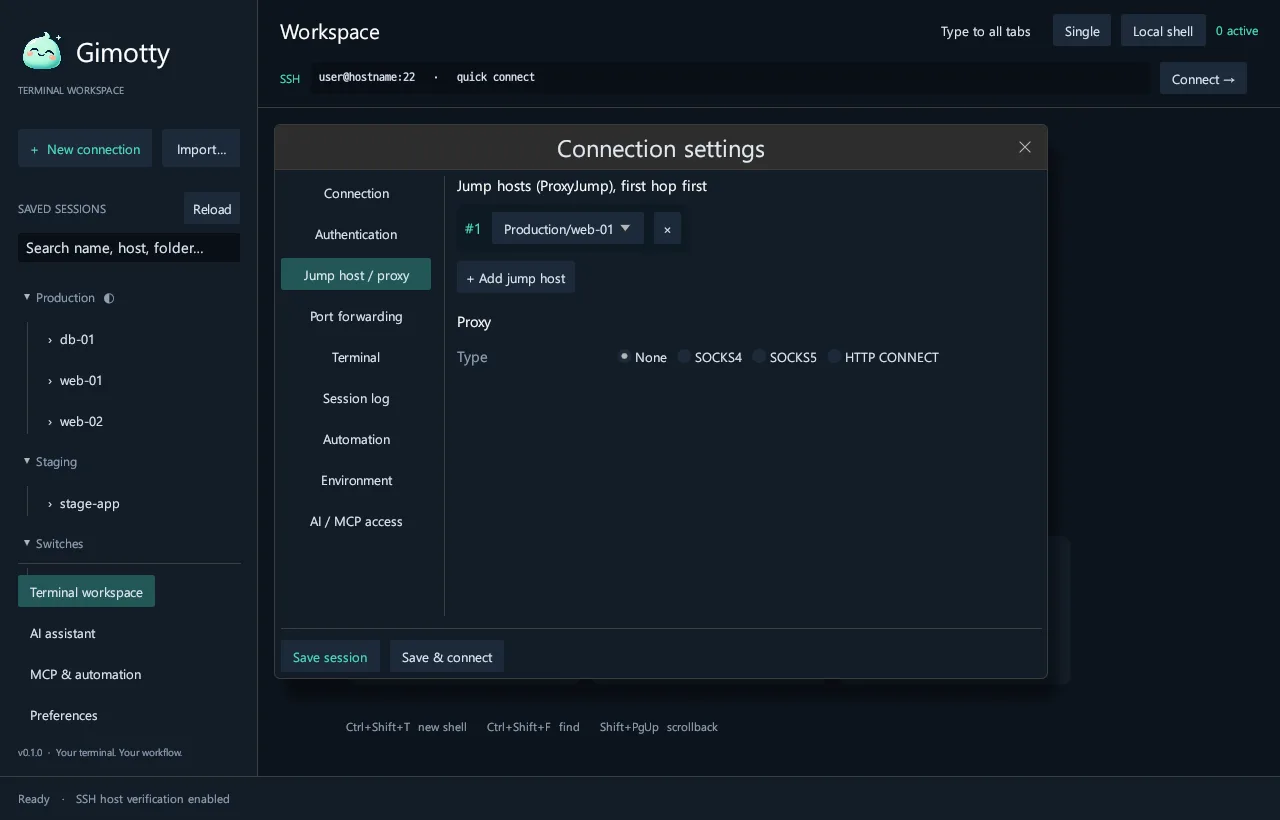
- Jump hosts up to 8 hops, given as addresses or other saved sessions.
- SOCKS4, SOCKS4a, SOCKS5 and HTTP proxies; local, remote and dynamic port forwarding; environment variables with SetEnv.
- Each host key is shown on first connection and a changed key is refused.
Work in many sessions at once
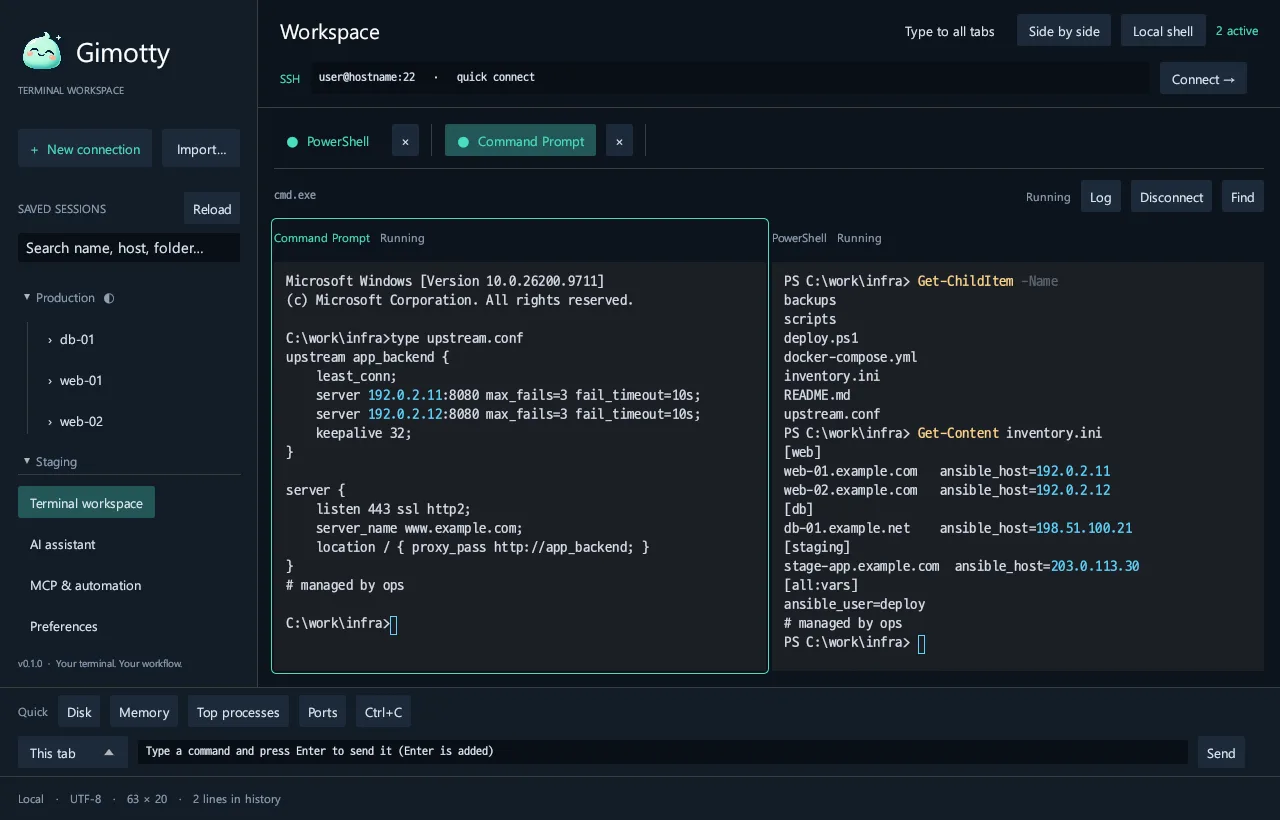
- Tabs you can name, color and reorder; open the same session again in a new tab.
- Two- and four-way splits: side by side, stacked or a grid.
- Type into every tab at once, use a command bar for the current or all tabs, and keep quick-command buttons.
- Multi-line paste asks for review first.
Move files without leaving the terminal
- An SFTP browser beside the terminal: browse, upload (drag and drop works), download, new folder, rename, delete.
- Whole-folder transfers with progress, speed and cancel.
- It uses the same host keys, jump hosts and proxy as the terminal.
- Password, key passphrase, one-time code and new host key questions appear as dialogs during transfers.
Automate the boring parts
- Logon actions: wait for a string, then send one.
- Anti-idle and automatic reconnect.
- Session logs with PuTTY-style file names (
&Y &M &D &T &H &P). - Keyword highlighting.
Keep secrets out of files
- A password vault protected by a master password (Argon2id, XChaCha20-Poly1305) that locks itself when idle.
- A saved password is typed only at that session’s own login prompt, within 60 seconds of connecting, and only once.
- Session files never contain passwords.
-pwpasswords stay in memory for that tab. - Proxy passwords come only from an environment variable.
Read every language on the wire
- Server encodings including UTF-8, EUC-KR (CP949), Shift_JIS, EUC-JP, GBK, Big5, Windows-1252, ISO-8859-2, Windows-1251 and KOI8-R.
- IME composition for Korean and other input methods. Pressing Enter to confirm a composition never sends a message.
- D2Coding, a monospace font with double-width Hangul, is built in.
Deploy it like any business app
- Per-user installer that needs no admin rights, with Start menu and uninstall entries.
- Silent install and uninstall with
/S; SHA-256 files next to every download. - A portable ZIP: put a
gimotty-datafolder next to the program and everything stays there. - DirectX 12 first, then an automatic WARP software renderer, plus a software-rendering shortcut for VDI.
- Settings, sessions and logs survive updates and uninstalls.
Current limits
- Runs on Windows 10 and 11 (x64) only. No macOS or Linux build yet.
- The app speaks English and Korean. A Japanese interface is planned.
- Japanese and Chinese text display is not fully verified. Kanji missing from the Korean system font may not appear.
- Files move over SFTP only. No ZMODEM or Kermit.
- No VBScript or Python logon scripts. Use logon actions instead.
- The MCP server uses stdio. There is no HTTP transport.
- Early-access builds are not code-signed yet, so Windows may show a SmartScreen warning.

Try it on your own servers
Every feature is free for 14 days. No account, no credit card.